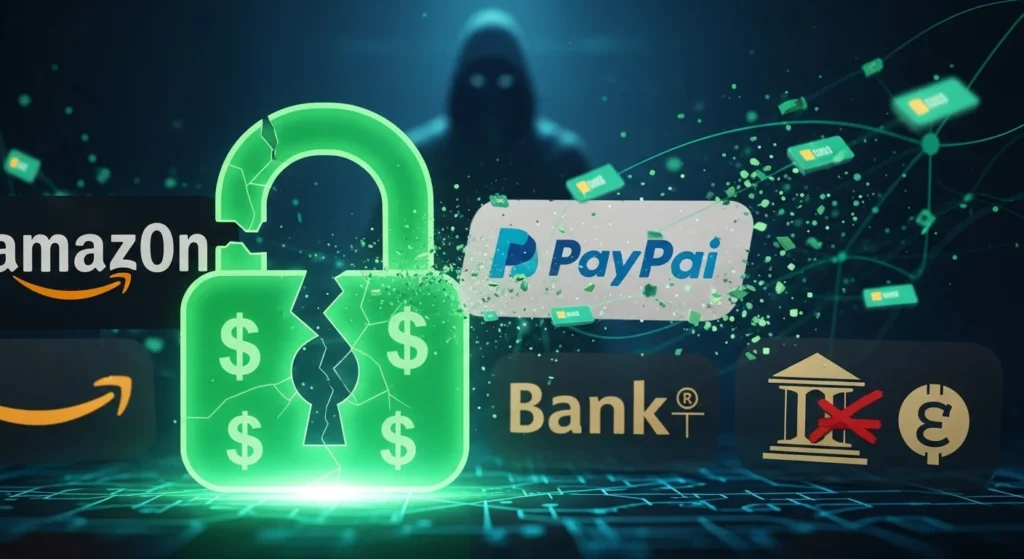
A Message You Didn’t Question—And That’s the Problem
You glance at your phone.
A message appears from a brand you recognize instantly.
Same logo.
Same tone.
Same look you’ve seen a hundred times before.
You don’t panic.
You don’t analyze.
You tap.
That moment—quiet, automatic, almost boring—is exactly what attackers are counting on.
The Hidden Reason Brand Names Lower Your Guard
Familiar brands act like mental shortcuts.
Your brain doesn’t treat them as strangers.
It treats them as known quantities.
Psychologically, recognition equals safety.
And safety turns off scrutiny.
Attackers understand something most users don’t:
Trust is faster than logic.
When a message appears to come from a well-known company, your brain skips steps it would normally take with an unknown sender.
Why Brand Impersonation Works Better Than Threats
Early cyber scams relied on fear.
Modern ones rely on comfort.
Fake messages using familiar brands:
- Don’t feel risky
- Don’t feel urgent
- Don’t feel suspicious
They feel routine.
Routine is dangerous because it bypasses conscious decision-making.
The Psychology Behind Familiar Brand Abuse
Our brains are wired to conserve effort.
When something looks familiar:
- We assume it’s been vetted
- We assume systems are in place
- We assume someone else already checked
This is called cognitive offloading—letting trust replace verification.
Attackers exploit this instinct relentlessly.
Real-Life Example: The “Account Update” That Looked Normal
A user receives a short message:
“We noticed unusual activity. Please confirm your details to avoid disruption.”
No threats.
No countdown.
No red flags.
The brand name does the work.
The user clicks, logs in, and hands over credentials—without ever feeling like they were under attack.
The Most Common Ways Familiar Brands Are Used in Fake Messages
1. Logo and Visual Mimicry
Attackers copy:
- Logos
- Color schemes
- Fonts
- Layout spacing
Visual familiarity overrides textual caution.
2. Tone Matching
Fake messages mirror how real brands communicate:
- Polite
- Reassuring
- Professional
- Neutral
Nothing sounds “off,” so nothing triggers doubt.
3. Routine Requests
Instead of alarming demands, attackers ask for:
- Verification
- Confirmation
- Review
- Update
Things users have done before—many times.
Why Even Cyber-Aware Users Fall for This
Security knowledge helps with:
- Obvious phishing
- Poor grammar
- Strange links
But brand impersonation doesn’t rely on mistakes.
It relies on pattern recognition.
If it looks like what you expect, your brain assumes it is.
Familiar Brands vs Unknown Senders: A Comparison
| Factor | Unknown Sender | Familiar Brand Impersonation |
|---|---|---|
| Initial suspicion | High | Low |
| Emotional response | Alertness | Comfort |
| Verification behavior | Likely | Rare |
| Reaction speed | Slow | Fast |
| Risk of clicking | Lower | Much higher |
The irony?
The safer something feels, the more dangerous it can be.
Why This Tactic Keeps Getting Stronger
Several modern trends fuel brand-based scams:
- People manage dozens of online accounts
- Digital communication feels constant
- Logos are easy to copy
- Users expect automated messages
Attackers blend into the background noise.
The goal isn’t to stand out.
It’s to disappear into normal life.
Subtle Signs a Familiar Brand Message Is Fake
Look beyond the logo.
Watch for:
- Slightly altered sender addresses
- Generic greetings instead of personalization
- Links that don’t match official domains
- Requests that bypass usual steps
- Messages arriving at unusual times
Familiar branding doesn’t equal authenticity.
The Biggest Mistakes People Make
These habits help scammers succeed:
- Trusting logos over URLs
- Clicking before checking context
- Assuming big brands can’t be impersonated
- Treating routine messages as harmless
- Believing “it looks right” is enough
Attackers don’t need you careless.
They just need you comfortable.
How to Protect Yourself Without Becoming Paranoid
1. Separate Brand Recognition From Trust
Recognition is not verification.
Always ask:
- Did I expect this message?
- Does it match my recent actions?
2. Use Direct Access
Instead of clicking:
- Open the official app
- Type the website manually
- Check notifications there
Real alerts don’t disappear.
3. Slow Down Familiar Moments
Risk often hides in routine.
If something feels automatic, pause.
Why This Matters Today (And Going Forward)
As digital life grows more brand-driven, attackers will keep hiding behind trust.
Security threats are no longer loud.
They’re polite, familiar, and well-designed.
The future of cybersecurity isn’t about spotting danger.
It’s about questioning comfort.
Key Takeaways
- Familiar brands lower suspicion instantly
- Visual trust cues are easy to fake
- Routine messages are high-risk moments
- Recognition is not verification
- Slowing down is a powerful defense
Frequently Asked Questions (FAQ)
1. Why don’t email filters stop brand impersonation?
Because many messages look technically legitimate and mimic normal communication patterns.
2. Are text messages or emails more dangerous?
Both—text messages feel more personal, while emails feel more official.
3. Can real brands prevent this misuse?
They can reduce risk, but impersonation is largely outside their control.
4. Is brand impersonation considered phishing?
Yes, it’s one of the most effective forms of phishing today.
5. How can organizations reduce employee risk?
By training staff to verify routine messages—not just urgent ones.
Conclusion: Familiarity Is the Real Vulnerability
Cybercriminals don’t need to scare you anymore.
They just need to look like something you already trust.
The strongest defense isn’t suspicion of everything.
It’s awareness of why something feels safe.
When you understand that, familiar brands lose their power as disguises.
Disclaimer: This article is for general awareness and education and is not a substitute for professional cybersecurity advice or internal security policies.

Natalia Lewandowska is a cybersecurity specialist who analyzes real-world cyber attacks, data breaches, and digital security failures. She explains complex threats in clear, practical language so everyday users can understand what really happened—and why it matters.