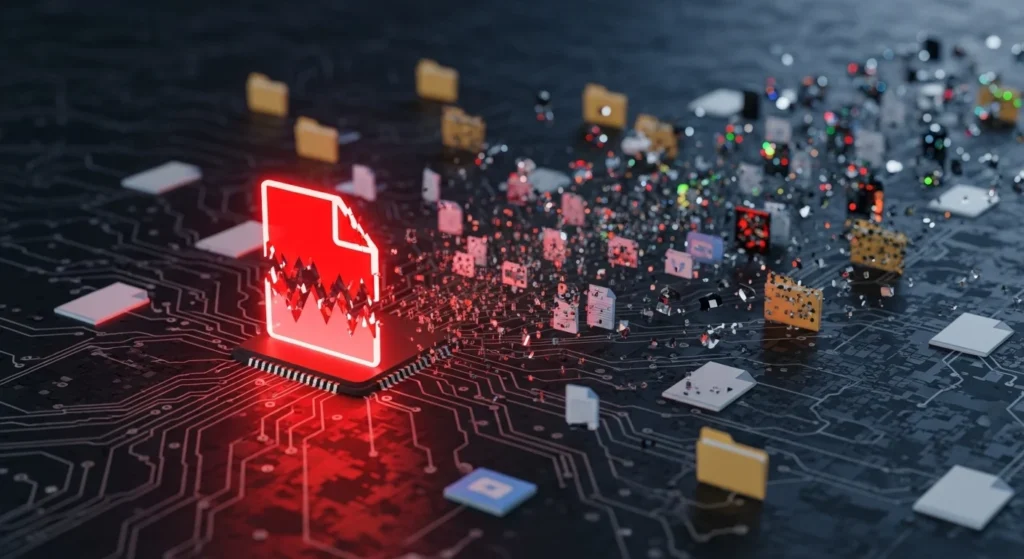
The Most Dangerous Cyber Attacks Start Small
It usually doesn’t begin with a dramatic hack.
No flashing warnings.
No movie-style countdown.
It starts with something ordinary.
A file.
A PDF attachment.
A “resume” email.
A free software download.
A shared document from a coworker.
And suddenly, everything changes.
Because in cybersecurity, one infected file can compromise your entire system, your accounts, your network—and even your identity.
That’s not fearmongering.
That’s reality.
Let’s break down exactly how it happens, why it works, and what you can do to protect yourself before it’s too late.
Why This Matters Today (Even If You’re Careful)
Most people believe breaches happen only to:
- careless users
- giant corporations
- government agencies
But attackers don’t need a perfect victim.
They just need one small opening.
Cybercrime is now automated and scalable.
Hackers send millions of infected files daily because eventually…
Someone opens one.
And once that happens, the damage spreads faster than most people realize.
Understanding the chain reaction is one of the most important digital survival skills today.
What Does “Infected File” Actually Mean?
An infected file is any file that has been altered or packaged with malicious code.
It may look completely normal.
It can be:
- a Word document
- a PDF
- a ZIP folder
- an Excel sheet
- an app installer
- even an image file in some cases
The file becomes a delivery vehicle.
A Trojan horse.
The malware isn’t always obvious.
Sometimes, it’s invisible until the moment you open it.
The Cybersecurity Domino Effect: How One File Spreads Disaster
Here’s what most people don’t understand:
The infected file is rarely the final threat.
It’s the first step.
Once opened, that file can trigger a chain reaction that looks like this:
- Malware installs silently
- System access is gained
- More malware is downloaded
- Passwords are stolen
- Accounts are hijacked
- Network devices are infected
- Data is encrypted or leaked
One file.
Total compromise.
Let’s walk through it step by step.
Step 1: The File Executes Malicious Code
Many infected files contain scripts that run as soon as you interact with them.
Examples include:
- enabling macros in Word
- clicking “Allow Content”
- opening a disguised executable
- previewing unsafe attachments
Real-life example:
A user opens what looks like a harmless invoice.
The document asks:
“Enable editing to view properly.”
The moment they do…
The malware activates.
This technique is shockingly common.
Because attackers don’t break in.
They trick you into opening the door.
Step 2: The Malware Creates a Backdoor
Once activated, malware often installs a backdoor.
This means the attacker now has hidden access to your device.
They may be able to:
- control your computer remotely
- install additional tools
- monitor activity silently
- bypass security alerts
The user often sees nothing unusual.
That’s what makes it so dangerous.
The compromise is quiet.
Step 3: Additional Payloads Get Downloaded
The first infected file is usually just the “dropper.”
Its job is to download more powerful malware.
Within minutes, attackers can add:
- spyware
- ransomware
- keyloggers
- credential stealers
- remote access trojans (RATs)
So the initial file is like a seed…
But what grows from it can destroy everything.
Step 4: Passwords and Credentials Are Stolen
This is where things escalate fast.
Modern malware is designed to steal:
- browser-saved passwords
- banking logins
- email credentials
- crypto wallets
- cloud session cookies
Hidden tip:
Even if you don’t type your password, stolen browser cookies can allow hackers to log in anyway.
That’s why one infected file can compromise far more than one device.
It can compromise your entire digital life.
Step 5: Hackers Move Laterally Across Your Network
If you’re connected to:
- home Wi-Fi
- office network
- shared drives
- printers
- NAS storage
The malware can spread.
This is called lateral movement.
Real-world scenario:
A single employee opens an infected attachment…
And within hours:
- the company server is infected
- customer databases are exposed
- ransomware locks everything
One file becomes an organizational crisis.
Step 6: Data Theft or Encryption Happens
At this stage, attackers choose their goal:
Option A: Steal Data Quietly
They may extract:
- financial documents
- customer info
- private emails
- business contracts
Option B: Deploy Ransomware
Files are encrypted, and a message appears:
“Pay to recover your data.”
This is why ransomware is so devastating.
The infection began days earlier…
The explosion happens later.
Malware Types Commonly Delivered Through One File
Infected files are delivery systems for many malware families:
- Trojans (disguised threats)
- Keyloggers (record keystrokes)
- Spyware (monitor behavior)
- Ransomware (encrypt files)
- Worms (self-spreading malware)
Each one has different consequences.
But the entry point is often identical:
One file opened without suspicion.
Comparison Table: Harmless File vs Infected File
| Feature | Normal File | Infected File |
|---|---|---|
| Purpose | Legitimate content | Hidden malicious intent |
| Appearance | Looks expected | Looks identical |
| User awareness | Safe interaction | Often unnoticed compromise |
| Behavior after opening | Nothing unusual | Malware executes silently |
| Impact | No harm | System takeover, data theft, ransomware |
| Prevention | Basic caution | Layered cybersecurity required |
The Most Common Places Infected Files Come From
Attackers distribute malicious files through:
- phishing emails
- fake job applications
- software cracks and torrents
- compromised Google Drive links
- malicious ads
- Slack/Teams attachments
- “urgent” corporate invoices
The files are designed to look believable.
That’s the point.
Mistakes to Avoid (The Ones Hackers Rely On)
Here are the biggest user mistakes:
- trusting attachments automatically
- enabling macros in documents
- downloading pirated software
- ignoring update reminders
- assuming antivirus is enough
- reusing passwords across accounts
- not backing up critical files
Cybersecurity is often less about hacking…
And more about habits.
Actionable Steps: How to Protect Yourself From Infected Files
Here’s the layered defense that actually works:
✅ 1. Treat Every Attachment Like a Potential Threat
Even if it comes from someone you know.
Accounts get hacked.
Senders get spoofed.
✅ 2. Disable Macros by Default
Most malicious Office attacks depend on macros.
✅ 3. Use Antivirus + Behavior Protection
Traditional antivirus helps…
But modern protection should include real-time behavioral detection.
✅ 4. Keep Systems Updated
Many infections exploit old vulnerabilities.
Updates patch those holes.
✅ 5. Enable Multi-Factor Authentication (MFA)
Even if credentials are stolen, MFA blocks account takeover.
✅ 6. Back Up Important Data Regularly
Backups are the best ransomware defense.
Use the 3–2–1 rule:
- 3 copies
- 2 formats
- 1 offline
✅ 7. Use a Password Manager
Avoid storing passwords directly in browsers.
✅ 8. Monitor Login Alerts
Turn on alerts for:
- email logins
- bank access
- cloud storage activity
Hidden Tip: The Infection Often Happens Before You Notice
Most people think malware is immediate.
But attackers often wait.
They let infections sit quietly for days or weeks before triggering ransomware or theft.
That delay makes people say:
“I don’t know what I clicked.”
That’s exactly how these attacks work.
Awareness is protection.
Key Takeaways (Quick Summary)
- One infected file can trigger a complete cybersecurity breach
- Malware often installs silently before damage becomes visible
- Attackers steal passwords, spread through networks, and deploy ransomware
- Antivirus alone is not enough—layered security matters
- Backups, MFA, updates, and smart habits stop most disasters
- The most dangerous infected files look completely normal
FAQ: Infected Files and Cybersecurity
1. Can a PDF file really contain malware?
Yes. PDFs can exploit vulnerabilities or contain malicious links/scripts if opened in outdated software.
2. How fast can one infected file compromise a system?
Sometimes within minutes. Credential theft and malware downloads can happen almost instantly.
3. Does antivirus stop infected files automatically?
Not always. Advanced malware can bypass traditional detection, especially zero-day threats.
4. What should I do if I opened a suspicious file?
Disconnect from the internet, run a full security scan, change passwords, and monitor accounts immediately.
5. Why do hackers use files instead of direct hacking?
Because file-based attacks are scalable, easy, and rely on human trust—not brute force.
Conclusion: One File Is All It Takes
The scariest cyberattacks don’t start with a hacker breaking down digital doors.
They start with you opening something that looked normal.
One attachment.
One download.
One shared document.
And that’s enough to compromise:
- your device
- your accounts
- your network
- your identity
The good news?
With layered cybersecurity habits, you can stop these threats before they spread.
In cybersecurity, awareness isn’t optional.
It’s your strongest firewall.

Natalia Lewandowska is a cybersecurity specialist who analyzes real-world cyber attacks, data breaches, and digital security failures. She explains complex threats in clear, practical language so everyday users can understand what really happened—and why it matters.
Pingback: Malware vs Virus vs Trojan: The Real Difference Most People Get Completely Wrong