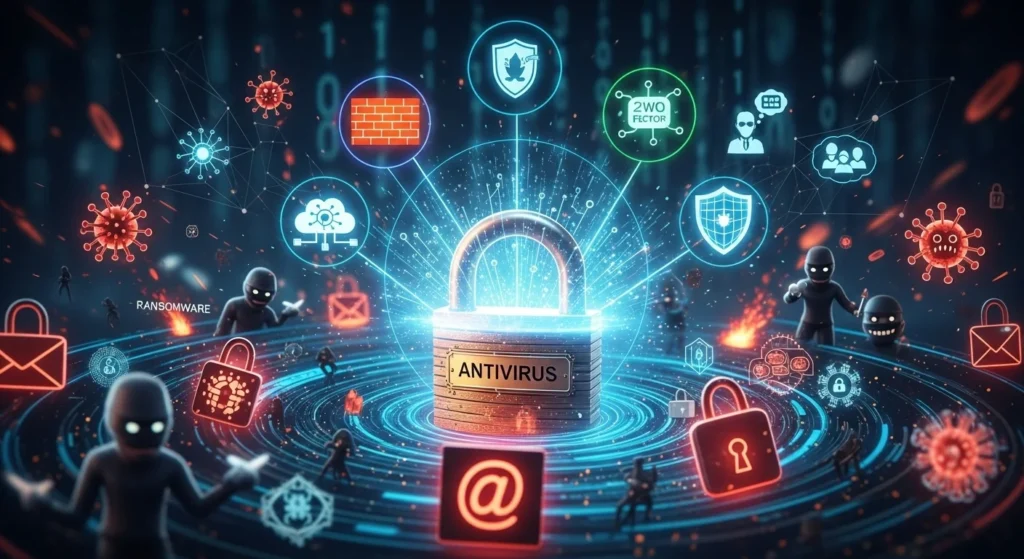
The Comforting Myth: “I Have Antivirus, So I’m Safe”
Most people install antivirus the way they lock their front door.
It feels responsible.
It feels protective.
It feels like the job is done.
And for years, antivirus really was the gold standard of digital safety.
But cybersecurity has changed.
Today’s hackers don’t break in loudly anymore.
They slip in silently.
And the uncomfortable truth is this:
Antivirus software isn’t always enough to protect you anymore.
Not because antivirus is useless…
But because modern threats are smarter, faster, and designed to bypass it.
Let’s unpack why this matters—and what real protection looks like now.
Why This Matters Today (Even If You’re Not “Important”)
A common mistake people make is thinking:
“I’m not a company.”
“I’m not rich.”
“I don’t have anything hackers want.”
That’s exactly what attackers rely on.
Cybercrime isn’t personal anymore.
It’s automated.
Hackers target:
- Everyday people
- Small businesses
- Students
- Freelancers
- Families
- Anyone with an email address
Because one weak device can become a doorway into bigger systems.
Antivirus helps…
But it’s no longer the full shield people think it is.
What Antivirus Was Originally Built to Do
Traditional antivirus was designed for a simpler era.
Its main job was to detect:
- Known viruses
- Malware files
- Suspicious software behavior
- Signature-based threats
In other words:
Antivirus is great at stopping threats we already recognize.
It’s like a police sketch.
If the criminal matches the photo, antivirus catches it.
But what happens when the criminal wears a new disguise?
That’s where problems begin.
The Biggest Weakness: Antivirus Depends on Known Patterns
Most antivirus tools still rely heavily on:
- Signature databases
- Previously identified malware samples
- Recognizable malicious behavior
But modern cyberattacks don’t play by old rules.
Hackers now create malware that is:
- Brand new
- Constantly changing
- Delivered without files
- Hidden inside legitimate tools
This is called a zero-day threat.
And antivirus often can’t detect what it has never seen before.
7 Cyber Threats Antivirus Alone Often Can’t Stop
Let’s break down what antivirus may miss today.
1. Phishing Attacks (The #1 Entry Point)
Antivirus can’t stop you from clicking.
Phishing attacks come through:
- Fake emails
- Text messages
- Social media DMs
- Real-looking login pages
Example:
You get an email saying:
“Your bank account is locked. Confirm your password.”
You click.
You enter details.
No virus needed.
Antivirus doesn’t help because you handed the keys over yourself.
2. Social Engineering (Hackers Manipulating Humans)
Hackers don’t always hack machines.
They impersonate:
- Your boss
- Customer service
- Tech support
- Delivery companies
Real-world case:
A scammer calls saying:
“We detected suspicious activity. Install this security tool.”
That “tool” is the attack.
Antivirus can’t protect against psychological tricks.
3. Fileless Malware (Nothing to Scan)
This is one of the scariest modern techniques.
Fileless malware works by hiding inside:
- PowerShell
- Memory
- Legitimate system processes
No file is downloaded.
Nothing sits on your hard drive.
So antivirus has nothing obvious to scan.
It’s like an intruder living in your walls instead of entering through the door.
4. Ransomware That Moves Faster Than Detection
Ransomware attacks now encrypt files in minutes.
By the time antivirus detects unusual activity:
- Your documents are locked
- Your business is frozen
- Your photos are gone
- The ransom note appears
Antivirus may catch it after damage is already done.
That’s why backups and layered defense matter more than ever.
5. Advanced Persistent Threats (APTs)
APTs are stealth attacks often used against:
- Governments
- Corporations
- High-value targets
But the techniques are spreading.
These attackers:
- Stay hidden for months
- Monitor silently
- Steal data slowly
Antivirus rarely catches them because nothing looks “suspicious” on the surface.
6. Cloud Account Hijacking
Antivirus protects your device…
But what about your Google Drive?
Your Microsoft account?
Your iCloud?
Hackers increasingly attack accounts, not computers.
If someone steals your password:
They can access everything—from anywhere.
Antivirus can’t stop that.
Only multi-factor authentication can.
7. Supply Chain Attacks (Trusted Software Turned Dangerous)
Sometimes malware comes from software you trust.
Hackers compromise:
- Updates
- Plugins
- Vendor systems
So you install something legitimate…
And it becomes the threat.
Antivirus often allows it because it appears safe.
Antivirus vs Modern Cybersecurity (Comparison Table)
Here’s the clearest way to understand it:
| Protection Type | Antivirus Alone | Modern Cybersecurity Approach |
|---|---|---|
| Stops known viruses | ✅ Yes | ✅ Yes |
| Stops phishing emails | ❌ No | ✅ With email filters + training |
| Protects cloud accounts | ❌ No | ✅ MFA + login monitoring |
| Detects fileless attacks | ❌ Weak | ✅ EDR tools |
| Prevents ransomware damage | ⚠️ Limited | ✅ Backups + behavior defense |
| Protects against social engineering | ❌ No | ✅ Awareness + verification |
| Covers all attack surfaces | ❌ No | ✅ Layered security |
Antivirus is one layer.
Not the whole wall.
The Biggest Mistake People Make
Many users believe:
Installing antivirus = cybersecurity complete.
So they ignore:
- Updates
- Backups
- Password hygiene
- Suspicious emails
- Network security
That false confidence is dangerous.
Hackers love outdated defenses.
What You Actually Need Instead (Layered Protection)
Real cybersecurity today is about layers.
Here’s a practical protection checklist:
✅ 1. Strong Password + Password Manager
Never reuse passwords.
Use long passphrases.
✅ 2. Multi-Factor Authentication (MFA)
The single most effective account defense.
Even if hackers steal your password, they can’t log in.
✅ 3. Regular Software Updates
Old software = open doors.
Update:
- Operating system
- Browser
- Apps
- Router firmware
✅ 4. Secure Backups (Ransomware Protection)
Follow the 3-2-1 rule:
- 3 copies of data
- 2 formats
- 1 offline backup
✅ 5. Anti-Phishing Awareness
Before clicking, ask:
- Do I trust the sender?
- Is this link real?
- Why the urgency?
✅ 6. Firewall + Network Monitoring
Especially important for home offices and businesses.
✅ 7. Endpoint Detection and Response (EDR)
For organizations, EDR tools go beyond antivirus by detecting suspicious behavior in real-time.
Hidden Tip: Your Browser Is Often the Weakest Link
Most attacks today happen inside the browser:
- Fake login pages
- Drive-by downloads
- Malicious ads
Use:
- Secure DNS
- Tracker blockers
- Browser isolation (for enterprises)
Antivirus won’t stop a dangerous website before you interact.
Key Takeaways (Quick Summary)
- Antivirus is useful—but incomplete protection
- Modern attacks bypass traditional detection methods
- Phishing and human error are bigger threats than viruses
- Fileless malware and cloud hijacking often avoid antivirus entirely
- Real cybersecurity requires layered defense
- MFA, backups, updates, and awareness matter more than ever
FAQ: Why Antivirus Isn’t Always Enough
1. Is antivirus still worth using?
Yes. Antivirus is still an important baseline layer, but it should never be your only defense.
2. Can antivirus stop hackers completely?
No. Hackers often use phishing, stolen credentials, and fileless attacks that antivirus can’t detect.
3. What is the best alternative to antivirus?
Not a replacement—an upgrade: layered security with MFA, backups, firewall, and threat detection tools.
4. Why do people still get hacked with antivirus installed?
Because most breaches come from human mistakes like clicking malicious links, not from downloadable viruses.
5. What’s the most important cybersecurity step today?
Enable multi-factor authentication and practice phishing awareness. Those stop more attacks than antivirus alone.
Conclusion: Antivirus Is a Seatbelt, Not the Whole Car
Antivirus software is still valuable.
But relying on it alone today is like wearing a seatbelt…
While driving with no brakes, no headlights, and no airbags.
Cybersecurity has evolved.
Hackers have evolved.
And safety now requires more than one tool.
So keep your antivirus…
But build real protection around it.
Because in modern digital life…
security isn’t a product. It’s a system.

Natalia Lewandowska is a cybersecurity specialist who analyzes real-world cyber attacks, data breaches, and digital security failures. She explains complex threats in clear, practical language so everyday users can understand what really happened—and why it matters.