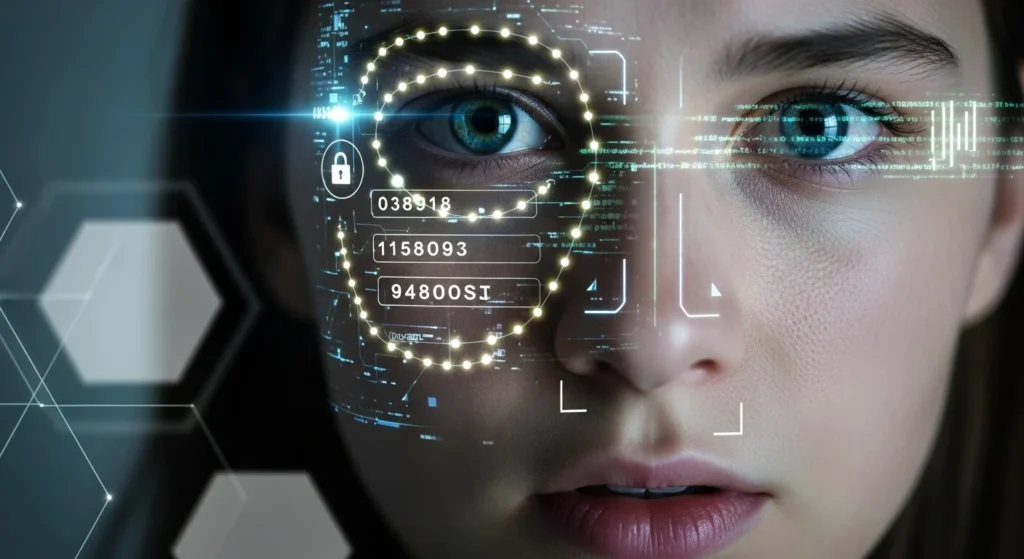
The First Time You Realized You Didn’t Type Anything
You picked up your phone.
The screen lit up.
It unlocked—instantly.
No password.
No PIN.
No thought.
Just your face.
That moment felt convenient. Almost magical.
But it also marked something bigger: the moment your identity became the key.
Across phones, banks, airports, offices, and even homes, faces are replacing passwords. Not as a futuristic experiment—but as the default.
This article explains why your face is becoming a password, how this shift happened so quickly, what it changes about privacy and control, and how to use facial authentication safely in a world that’s already moved on.
How Faces Replaced Passwords So Quickly
Passwords were never designed for modern digital life.
They were:
- Hard to remember
- Easy to steal
- Reused across accounts
- Frequently compromised
As digital services exploded, passwords became the weakest link.
Facial recognition promised something better:
- No memory required
- Faster access
- Lower friction
- Fewer support resets
The technology matured quietly in the background—better cameras, faster processors, improved machine learning.
By the time most people noticed, face authentication was already everywhere.
Why Facial Authentication Feels Effortless (and Trustworthy)
Your brain trusts your face instinctively.
You’ve relied on it your entire life:
- To be recognized
- To gain access
- To signal identity
So when technology mirrors that behavior, it feels natural.
Facial authentication works by:
- Mapping unique facial features
- Creating a mathematical representation
- Matching it against a stored template
- Verifying identity in milliseconds
No typing.
No thinking.
No friction.
That ease is precisely why adoption skyrocketed.
Why This Matters Today (More Than Most People Realize)
The shift from passwords to faces isn’t just technical.
It’s philosophical.
Passwords are secrets.
Faces are identifiers.
A secret is meant to be hidden.
An identifier is meant to be seen.
That difference changes everything about privacy.
Once your face becomes a password:
- You can’t change it
- You can’t fully hide it
- You carry it everywhere
Security becomes personal in a way it never was before.
Facial Recognition vs Passwords: A Clear Comparison
| Feature | Passwords | Facial Authentication |
|---|---|---|
| Can be changed | Yes | No |
| Easy to forget | Yes | No |
| Easy to steal | Yes | Increasingly |
| User effort | High | Very low |
| Privacy impact | Moderate | Long-term |
| Breach consequences | Temporary | Permanent |
This comparison explains why companies love facial authentication—and why users need to understand its limits.
Real-Life Examples You’ve Already Lived
Unlocking Devices
Most modern smartphones now default to face unlock. Many users never set strong passcodes because face recognition feels “secure enough.”
Banking and Payments
Banks increasingly use facial verification for:
- Login
- Identity confirmation
- Fraud prevention
Convenient—but it links financial access directly to biometric identity.
Travel and Border Control
Airports use facial recognition to:
- Verify boarding
- Speed up immigration
- Reduce human checks
Efficient, yes. Optional, not always.
The Biggest Advantage of Using Your Face as a Password
Let’s be clear: facial authentication does improve security in some ways.
It:
- Eliminates password reuse
- Reduces phishing success
- Prevents casual account sharing
- Stops shoulder-surfing attacks
For everyday access, it’s often safer than weak passwords.
This is why rejecting it entirely isn’t realistic.
The goal isn’t avoidance—it’s informed use.
The Risk Most People Don’t Think About
Passwords leak all the time.
When they do, you change them.
But if facial data is compromised:
- You don’t get a new face
- You don’t reset your identity
- You live with that exposure
Even if systems store facial data as encrypted templates, breaches still carry long-term implications.
That permanence is the real risk.
Common Mistakes People Make With Face Authentication
1. Using Face Unlock Without a Strong Backup
Your face should never be the only key.
Always pair it with:
- A strong passcode
- Device-level encryption
2. Enabling Face Login Everywhere
Not every app needs facial access.
High-risk actions—like account recovery or large financial changes—should require extra verification.
3. Assuming All Face Systems Are Equal
Some systems process data locally.
Others upload it to servers.
The difference matters.
Hidden Tips to Use Facial Authentication Safely
Here are smart, practical steps most people overlook:
- Enable face authentication only on personal devices
- Use it for unlocking, not account recovery
- Keep a strong alphanumeric passcode underneath
- Disable face unlock when traveling through unfamiliar regions
- Regularly review which apps have biometric permission
Convenience should be chosen—not assumed.
The Deeper Privacy Question: Who Controls Your Face?
Your face exists in public.
But biometric data derived from it is private.
The problem is that control isn’t always clear.
Questions that remain unresolved:
- Who owns facial templates?
- How long are they stored?
- Can they be reused or shared?
- What happens if a company shuts down?
As faces become passwords, identity governance becomes critical.
What the Future Looks Like
Facial authentication is not a trend—it’s infrastructure.
But systems are evolving to reduce risk:
- On-device processing
- Encrypted biometric templates
- Multi-factor authentication by default
- User-controlled permissions
The safest future blends:
- Biometrics for convenience
- Secrets for recovery
- Transparency for trust
Key Takeaways
- Your face is replacing passwords because it’s fast and frictionless
- Facial authentication changes privacy permanently
- Faces are identifiers, not secrets
- Breaches have long-term consequences
- Smart use combines biometrics with strong backups
- Awareness is the real security upgrade
Frequently Asked Questions (FAQ)
1. Is facial recognition safer than passwords?
It’s safer than weak or reused passwords, but riskier if biometric data is compromised.
2. Can facial authentication be fooled?
Advanced systems resist simple spoofing, but no system is completely immune.
3. Should I stop using face unlock?
No—but use it thoughtfully, with strong passcodes and limited permissions.
4. Is my facial data stored online?
It depends on the device and app. Many modern systems process data locally, but not all.
5. Will passwords disappear completely?
Unlikely. Passwords will evolve, but recovery and backup methods still require secrets.
Conclusion: Your Face Is Powerful—Treat It That Way
Your face isn’t just how the world recognizes you anymore.
It’s how systems decide who you are.
That power brings convenience.
It also brings responsibility.
Understanding this shift doesn’t mean rejecting technology—it means using it on your terms.
Because when your face becomes the password, awareness becomes the lock.
Disclaimer: This article is for general informational purposes only and reflects current understanding of digital security and privacy.

Natalia Lewandowska is a cybersecurity specialist who analyzes real-world cyber attacks, data breaches, and digital security failures. She explains complex threats in clear, practical language so everyday users can understand what really happened—and why it matters.