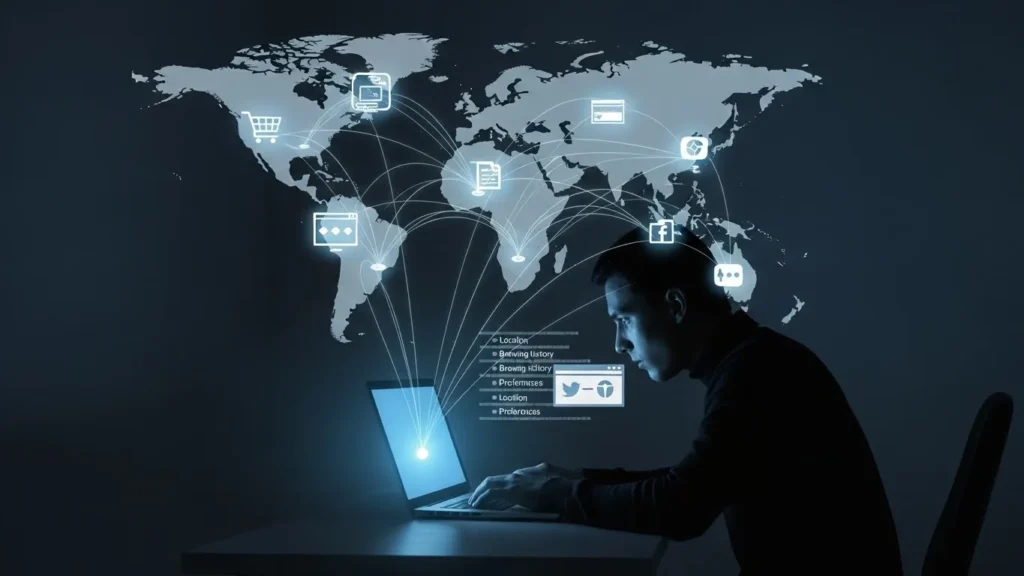
You Never Say a Word — Yet the Internet Knows Where You Are
You open a browser.
A page loads instantly.
Everything feels anonymous.
But behind that simplicity, your device just introduced itself.
Not with your name.
Not with your photo.
But with something just as revealing: your IP address.
It’s the quiet identifier that tells the internet where you’re coming from—and often, far more than people realize.
What an IP Address Actually Is (In Plain Language)
An IP address is your device’s routing label.
It tells networks:
- Where to send information
- Which connection requested data
- How to route traffic back
Think of it like a return address on an envelope.
You don’t write your life story—but you do reveal where replies should go.
That alone is powerful.
Why Every Website You Visit Sees Your IP Address
Your IP address isn’t optional.
Without it:
- Websites couldn’t respond
- Videos couldn’t stream
- Pages couldn’t load
Every online interaction begins with a simple question:
“Where should we send this data?”
Your IP address answers that—automatically, instantly, and repeatedly.
The Story Your IP Address Can Tell
An IP address doesn’t reveal your identity directly.
But it reveals context.
From an IP address, systems can often infer:
- Approximate geographic location
- Country and region
- Internet service provider (ISP)
- Network type (home, mobile, corporate)
- Connection consistency over time
Individually, these seem harmless.
Together, they form a recognizable pattern.
Real-Life Example: A Normal Day Online
You:
- Check news in the morning
- Browse during lunch
- Stream in the evening
Each session sends the same IP—or a predictable range.
Over time, platforms see:
- Your time zone
- Your daily rhythm
- Your consistent region
They don’t need your name to know it’s the same person returning.
Static vs Dynamic IP Addresses (And Why It Matters)
Not all IPs behave the same way.
Static IP Address
- Rare for home users
- Stays the same
- Easier to associate with long-term behavior
Dynamic IP Address
- More common
- Changes periodically
- Still reveals location and network
Even dynamic IPs don’t make you invisible.
They just shorten the memory window.
How IP Addresses Enable Location Awareness
IP-based geolocation isn’t pinpoint accurate—but it doesn’t need to be.
It can usually identify:
- Your country
- Your city or nearby area
- Your internet provider
That’s enough for:
- Local content delivery
- Regional pricing
- Language preferences
- Regulatory enforcement
Companies like Google rely on IP context to customize experiences—even before you sign in.
Why IP Data Is Valuable (Even Without Personal Details)
IP addresses help platforms:
- Detect fraud
- Prevent abuse
- Enforce geographic rules
- Identify unusual behavior
From a system perspective, IPs represent stability.
Even when cookies are cleared, IP patterns still provide continuity—especially when combined with other signals.
Comparison Table: What IP Addresses Do vs What People Think
| Common Belief | Reality |
|---|---|
| IP shows my exact address | IP shows approximate location |
| IP reveals my name | IP reveals network context |
| IP is private | IP is shared with every site |
| IP changes mean anonymity | Patterns still emerge |
| Only tech companies use IPs | Almost all online services do |
This gap between perception and reality causes most confusion.
When IP Addresses Become More Sensitive
Certain situations increase exposure:
- Logging into accounts repeatedly from the same IP
- Using public Wi-Fi networks
- Accessing services across regions
- Working remotely on shared networks
In these cases, IPs become behavior anchors—connecting actions across time.
Mistakes People Commonly Make
Many users unintentionally increase IP exposure by:
- Assuming private browsing hides IPs
- Ignoring network-level privacy
- Using public networks for sensitive tasks
- Believing location services control IP visibility
Your IP address exists below the app layer.
Turning off location services doesn’t remove it.
Practical Ways to Reduce IP-Based Exposure
You don’t need to disappear online.
Simple awareness helps:
- Avoid sensitive logins on shared networks
- Understand when location-based access matters
- Separate casual browsing from critical tasks
- Recognize that IP privacy ≠ account privacy
It’s about context control, not fear.
Why This Matters Today (And Going Forward)
As online systems grow smarter, identity becomes less about names—and more about patterns.
IP addresses:
- Anchor those patterns
- Provide geographic certainty
- Enable continuity across sessions
Understanding this gives you clarity—not anxiety.
When you know what’s visible, you make better choices.
Key Takeaways
- Every internet connection shares your IP address
- IPs reveal location and network context
- They don’t identify you—but they recognize you
- Patterns matter more than precision
- Awareness leads to smarter online habits
Frequently Asked Questions
Does my IP address reveal my home address?
No. It typically shows an approximate location, not a street address.
Can websites identify me personally from my IP?
Not by itself—but it contributes to behavioral recognition.
Does incognito mode hide my IP address?
No. Incognito affects local browsing history, not network routing.
Why does my IP change sometimes?
Most home connections use dynamic IP addresses that rotate periodically.
Should I worry about my IP address?
Concern isn’t necessary—understanding is.
Final Thoughts
Your IP address doesn’t shout your identity.
It whispers your context.
And in the digital world, context is often enough.
Once you understand how your IP address works, the internet feels less mysterious—and far more navigable.
Disclaimer: This article is for general educational purposes only. Online privacy experiences may vary depending on network setup, location, and usage habits.

Natalia Lewandowska is a cybersecurity specialist who analyzes real-world cyber attacks, data breaches, and digital security failures. She explains complex threats in clear, practical language so everyday users can understand what really happened—and why it matters.
Pingback: Incognito Mode Isn’t What You Think — The Privacy Myth Millions Still Believe
Pingback: Your Browser Knows Who You Are — Even When You Think You’re Anonymous
Pingback: How Companies Track You Across Devices — The Invisible Web That Connects Your Phone, Laptop, and TV