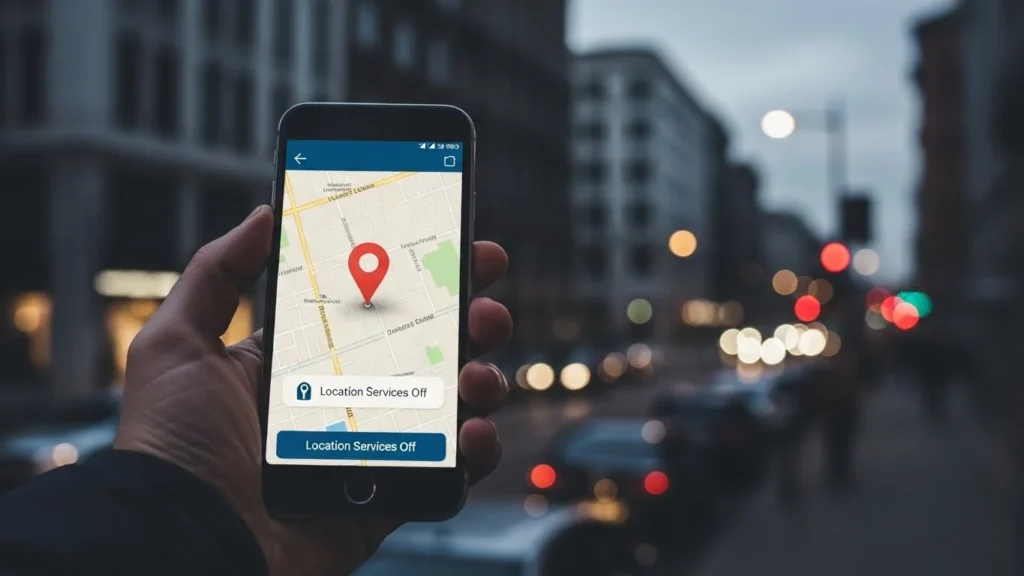
A quiet moment that makes people uneasy
You turn off Location Services.
You feel safer.
And then something strange happens.
Ads still reference places you visited.
Apps seem to “guess” where you are.
Recommendations feel… too accurate.
This isn’t paranoia.
It’s how modern smartphones actually work.
Turning off location does not stop tracking.
It only stops one method of it.
Today, your phone uses dozens of silent signals—many most people never hear about—to understand where you are, where you go, and how you move through the world.
And this matters now more than ever.
Why “Location Off” Doesn’t Mean What You Think It Means
Most people assume location tracking = GPS.
That’s only a small part of the picture.
When you disable location:
- GPS access is limited
- Some apps lose precise coordinates
But your phone still communicates constantly.
Why? Because location isn’t just where you are.
It’s patterns, proximity, and behavior.
Smartphones are designed to optimize:
- Connectivity
- Battery life
- Personalization
- Security
- Advertising relevance
Location intelligence quietly supports all of these.
1. Wi-Fi Networks: Your Invisible Location Fingerprint
Even with GPS off, your phone scans for nearby Wi-Fi networks.
Why this matters:
- Wi-Fi routers have unique identifiers (BSSIDs)
- Databases already map millions of routers to physical locations
- Your phone doesn’t need to connect—just see them
If your phone detects:
- Your home Wi-Fi
- Office Wi-Fi
- Café Wi-Fi
It can infer your location with surprising accuracy.
This is one of the most precise non-GPS tracking methods used today.
2. Cell Towers Reveal Movement Patterns
Your phone must stay connected to cell towers to function.
That creates:
- Approximate location data
- Speed and direction estimates
- Movement patterns over time
Even without GPS:
- Tower triangulation can locate you within hundreds of meters
- Repeated patterns reveal routines (home → work → gym)
This data is essential for network stability—but it also builds a quiet location profile.
3. Bluetooth Signals Map Your Surroundings
Bluetooth isn’t just for headphones.
Your phone constantly interacts with:
- Smartwatches
- Fitness bands
- Cars
- Retail beacons
- Nearby devices
Retail stores and public spaces often use Bluetooth beacons to:
- Detect presence
- Measure dwell time
- Understand foot traffic patterns
Your phone doesn’t announce your name—but your device signature still speaks.
4. Motion Sensors Tell a Location Story
Smartphones contain:
- Accelerometers
- Gyroscopes
- Magnetometers
These sensors track:
- Walking vs driving
- Elevators vs stairs
- Stops and starts
- Orientation and movement
Combined with timestamps, they reveal:
- Commute habits
- Daily routines
- Even floor-level movement in buildings
No GPS required.
5. IP Addresses Give Away Rough Location
Every internet connection has an IP address.
From that, systems can infer:
- Country
- City
- Internet provider
- Sometimes neighborhood-level detail
Switch networks, and your digital “place” changes with you.
VPNs can obscure this—but most people don’t use them consistently.
6. App Usage Patterns Fill in the Gaps
Even without direct location data, apps observe behavior.
For example:
- Food delivery apps used at night = likely home
- Work apps used daytime = likely office
- Navigation apps opened briefly = travel
Patterns + time = location inference.
This is especially powerful when multiple apps share anonymized insights.
How Accurate Is Non-GPS Tracking?
Here’s a simple comparison:
| Tracking Method | Accuracy | Works With Location Off |
|---|---|---|
| GPS | Very High | ❌ |
| Wi-Fi Mapping | High | ✅ |
| Cell Tower Triangulation | Medium | ✅ |
| Bluetooth Beacons | High (indoors) | ✅ |
| Motion Sensors | Pattern-based | ✅ |
| IP Address | Low–Medium | ✅ |
The surprise?
Wi-Fi + sensors often rival GPS accuracy in real life.
Why This Matters Today (More Than People Realize)
This isn’t about fear.
It’s about awareness.
Location data shapes:
- What content you see
- Which ads follow you
- How services price offers
- What recommendations appear
Over time, it builds a behavioral shadow—a digital version of your life that exists even when you think you’ve opted out.
And unlike GPS, this tracking is harder to notice.
Common Mistakes People Make
Many users believe:
- Turning off location = privacy restored
- App permissions alone solve the problem
- “I have nothing to hide” means nothing to worry about
The real issue isn’t spying.
It’s unintentional exposure.
Small data points, when combined, become powerful.
What You Can Actually Control (Practical Steps)
You don’t need to panic—or abandon smartphones.
You can reduce unnecessary tracking:
1. Limit Wi-Fi & Bluetooth Scanning
- Turn off Wi-Fi/Bluetooth when not needed
- Disable “Wi-Fi scanning” and “Bluetooth scanning” options
2. Review App Permissions Regularly
- Remove background access
- Use “Allow only while using” options
- Delete apps you don’t actively use
3. Reset Advertising IDs
Both Google and Apple allow you to reset ad identifiers.
4. Be Selective With Always-On Apps
Fitness, maps, and social apps are frequent data collectors.
5. Understand, Not Eliminate
Privacy today is about management, not disappearance.
The Bigger Picture: Why Phones Were Designed This Way
Tracking isn’t accidental.
It improves:
- Network reliability
- Battery efficiency
- Navigation
- Personalization
The tradeoff is subtle—not sinister—but rarely explained clearly.
Most people never consent meaningfully because they don’t understand the system.
Key Takeaways
- Turning off location only disables GPS—not tracking
- Wi-Fi, cell towers, Bluetooth, and sensors still reveal movement
- Smartphones infer location through patterns, not just coordinates
- You can reduce exposure with smarter settings and habits
- Awareness gives control—not fear
Frequently Asked Questions
Does airplane mode stop all tracking?
Mostly, yes—but only while it’s enabled. Once connectivity resumes, pattern tracking continues.
Can apps track me without permission?
Direct access is limited, but indirect signals still exist through system-level data.
Are iPhones safer than Android phones?
Both iOS and Android use similar underlying mechanisms, though controls differ.
Does resetting my phone remove tracking history?
It resets local data, not all server-side records.
Is this illegal?
Most tracking operates within current legal frameworks—but transparency varies widely.
A Calm, Honest Conclusion
Your smartphone isn’t spying on you in the way movies suggest.
But it is constantly learning.
Location isn’t a switch—it’s a web of signals.
Understanding that gives you power.
You don’t need to disconnect from modern life.
You just need to navigate it with open eyes.
Disclaimer: This article is for educational awareness only and reflects general technology practices that may vary by device, region, and settings.

Natalia Lewandowska is a cybersecurity specialist who analyzes real-world cyber attacks, data breaches, and digital security failures. She explains complex threats in clear, practical language so everyday users can understand what really happened—and why it matters.